
Best Cross-Sell Apps on Shopify in 2026 to Boost AOV Without More Ads
Explore the best Shopify cross-sell apps for increasing average order value with relevant product recommendations across product pages, carts, checkout, and post-purchase. Compare key features, use cases, and strengths to find the right cross-sell solution for your store.
Table of contents
- What Is Cross-Selling on Shopify?
- What Should Merchants Check Before Choosing an App?
- Best Cross-Sell Apps on Shopify
- Quick Comparison Table
- App#1 PushBundle – Best for Cross-Sell Bundles
- App#2 Libautech Bundles & Upsell – Best for Frequently Bought Together Offers
- App#3 ReConvert – Best for Post-Purchase Offers
- App#4 Essential Upsell and Cross Sell – Best for Simple Add-Ons
- App#5 Echo Checkout Widget and Bundle – Best for Checkout-Focused Offers
- App#6 Llama – Best for Cart Drawer Offers
- Where Should Cross-Sell Offers Appear?
- How to Test a Cross-Sell Campaign
- FAQs
- Conclusion
The best cross-sell apps on Shopify help merchants earn more from the traffic they already paid for. According to Baymard Institute’s meta-analysis of 49 independent studies, the average cart abandonment rate is 70.19%, meaning roughly seven out of ten shoppers leave without buying. The last thing a store needs is a cross-sell widget that distracts shoppers instead of helping them choose.
Most stores still use generic “related products” blocks that connect a running shoe to a random hoodie with no clear reason for the pairing. That is not helpful cross-selling. It is just clutter. The stores that raise AOV consistently do so with cross-sell offers that feel like a helpful next step, not an afterthought tacked onto the product page.
Summary
Cross-selling helps Shopify stores increase AOV from existing traffic.
The best offers feel helpful, not random or distracting.
PushBundle is best for structured cross-sell bundle offers.
Other apps work better for cart, checkout, or post-purchase offers.
Start with one strong pairing, test results, then expand.
What Is Cross-Selling on Shopify?
Cross-selling means recommending a complementary product that makes the original purchase better. The best cross-sell apps on Shopify help merchants place that recommendation at the exact moment the customer is most likely to understand its value.
Here is the fastest way to separate the three strategies that often get confused:
Cross-selling: A shopper buying running shoes is shown running socks. Complementary and relevant.
Upselling: A shopper choosing the 64GB model is shown the 128GB version. Same product, higher tier.
Bundling: A shopper gets a camera, strap, memory card, and bag grouped into one pre-curated offer.
This Shopify cross-sell vs upsell app distinction matters because many apps use these terms loosely. A merchant who thinks they are cross-selling may actually be pushing upsells, and the wrong strategy in the wrong placement can hurt conversion rate rather than help it.
What Should Merchants Check Before Choosing an App?
The best cross-sell apps on Shopify should increase AOV without turning the product page into an offer wall. Before installing anything, check these key criteria:
Does the app support product page placements?
Does it support cart drawer placements?
Does it support post-purchase placements?
Can you set manual pairing rules?
Can you exclude weak product matches?
Can you track clicks, add-ons, and revenue per offer?
Does pricing scale by orders, clicks, or revenue generated?
Does it work with your theme and cart drawer setup?
A frequently bought together app Shopify merchants trust should let them control pairings manually or with behavior data. Manual rules are often safer for curated brands. A Shopify app to suggest related products should also let you exclude poor matches. Nobody wants winter gloves attached to a summer sandal listing.
One solid cross-sell offer in the right placement consistently outperforms five generic widgets scattered across the store. That is the point most merchants miss when they start installing cross-sell apps.
Best Cross-Sell Apps on Shopify
The best cross-sell apps on Shopify match the stage in the buying journey where your shopper is most receptive. Product page suggestions, cart add-ons, and post-purchase offers each solve a different problem.
Quick Comparison Table
App | Rating | Developer | Pricing |
PushBundle | 4.9 | WhenLab F.Z.C | Free plan available. Paid plans start from $14/month. |
Libautech Bundles and Upsell | 4.9 | Libautech | Free plan isn't available. Paid plans start from $9.99/month. |
ReConvert | 4.8 | Upsell.com ex ReConvert | Free plan available. Paid plans start from $4.99/month. |
Essential Upsell and Cross Sell | 5.0 | Essential Bundles & Upsells | Free plan available. Paid plans start from $9.99/month. |
Echo Checkout Widget and Bundle | 4.2 | CodeInspire.io | Free to install. Paid plans start from $14/month. |
Llama: Cart, Gifts, Discounts | 5.0 | Llama Commerce LLC | Free plan available. Paid plans start from $9.99/month. |
Note: App ratings, review counts, pricing, and feature names can change. Check each Shopify App Store listing before installing.
App#1 PushBundle – Best for Cross-Sell Bundles
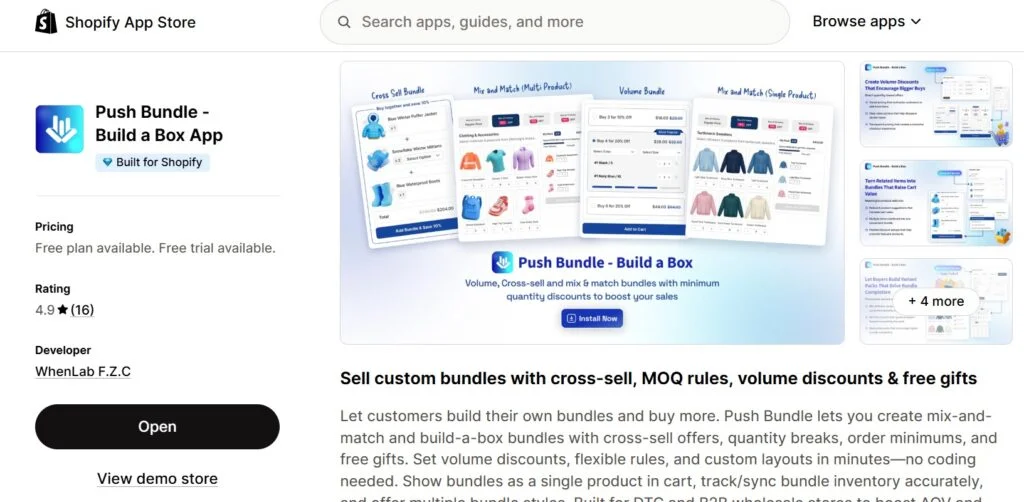
PushBundle is the strongest first pick when cross-selling needs structure. Customers can easily ignore a single-product widget. A cross-sell bundle that helps them build a useful set is harder to ignore because the offer feels more complete.
PushBundle turns cross-sell ideas into controlled bundle offers. The customer sees the pairing in context, understands why the products belong together, and can complete the bundle in a few clicks. It also carries the Built for Shopify badge, meaning it has been tested to meet Shopify’s highest performance and integration standards.
Best for: Cross-sell bundles; frequently bought together offers; personalized bundles; mix and match product packs; related product bundles; stores that want one app for bundles and cross-sells
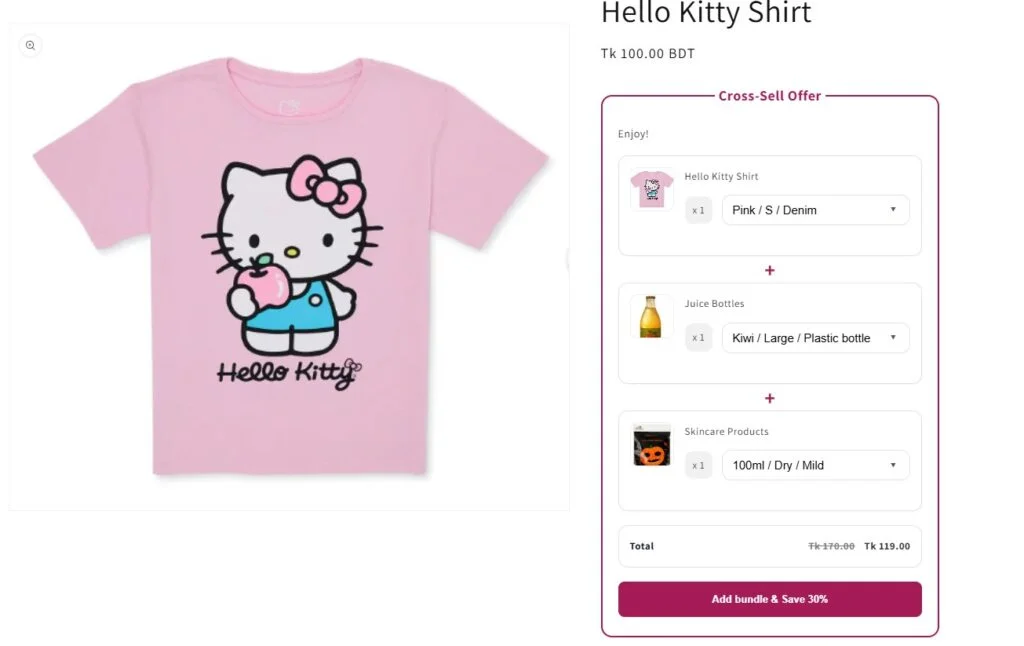
Cross-Sell Offer with PushBundle: Customers can select different variants from each product to create custom cross-sell bundles.
Key features:
Cross-sell bundles and frequently bought together offers
Mix and match product selection with variant support
Build a box bundles and related product offers
Volume discounts and custom quantity packs
Custom layouts and variant-based bundle rules
App details:
Field | Details |
Best fit | Stores that want cross-sell offers structured as bundles, where the complementary product sits next to the main product with a clear discount and one-click add-to-cart |
Strongest use case | Cross-sell bundles that pair related products together with fixed or percentage discounts, so the complementary product feels like a natural part of the purchase rather than an afterthought. |
Main limitation | Mix and match rules, advanced eligibility controls, and cross-sell bundle layouts are available on paid plans |
A cross-sell bundle app Shopify merchant can use PushBundle to recommend a belt with jeans, socks with shoes, or travel-size minis with full-size skincare. The offer becomes more than a product suggestion. It becomes a useful set the shopper can complete on the same page.
To increase the AOV of Shopify cross-sell campaigns, that structure matters. The offer should feel like help, not pressure. Customers are more likely to add another product when the offer feels helpful, not forced.
App#2 Libautech Bundles & Upsell – Best for Frequently Bought Together Offers

Bundles & Upsell works best when the cross-sell needs to sit directly on the product page as a frequently bought together offer. The shopper sees the main product, the complementary item, and the combined price in one block, without leaving the page or opening the cart.
Libautech Bundles & Upsell carries the Built for Shopify badge, meaning it has been tested against Shopify's performance and integration standards.
Best For: Frequently bought together offers; product page cross-sells; volume discounts; mix and match packs; stores that want cross-sell and upsell offers running from one app
Key Features:
Frequently bought together offers on product pages
Cross-sell and upsell offers with combined pricing
Volume and quantity break discounts
Mix and match product selection
Custom layouts that inherit theme styling
App Details
Field | Details |
Best fit | Stores that want the complementary product visible on the product page itself, priced as a set, so the shopper decides once instead of twice |
Strongest use case | Frequently bought together blocks where the pairing is obvious and the combined price does the persuading, such as accessories sold alongside a main product |
Main limitation | Focused on product page and bundle placements rather than a full pre to post purchase funnel, so stores wanting checkout and thank you page offers will need a second app |
A hardware brand can pair a drill with the bit set it actually needs. A coffee brand can pair a grinder with the filters that fit it. The offer works because the shopper was going to need the second item anyway, and seeing both priced together removes the second decision entirely.
That is the difference between a cross-sell that helps and one that interrupts. The shopper is not being sold something extra. They are being shown the complete version of what they already came for.
App#3 ReConvert – Best for Post-Purchase Offers
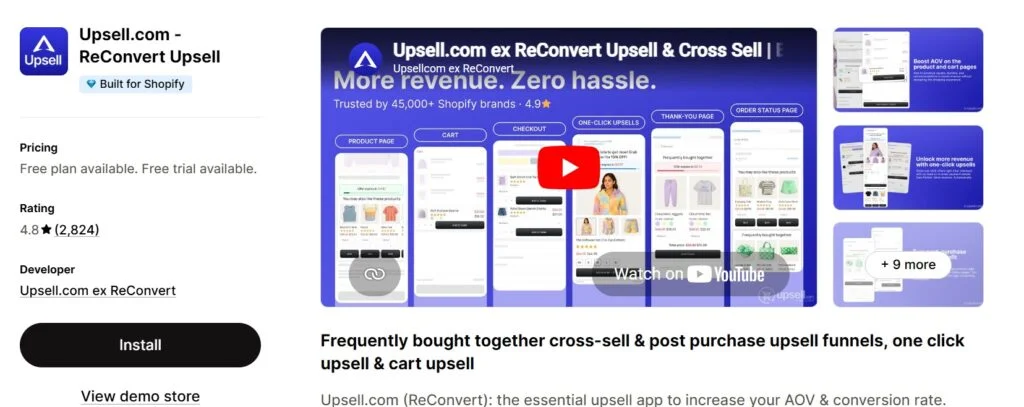
ReConvert is built for the moments after the shopper has already committed. Cart page, checkout, thank you page, and post-purchase offers all work well here, especially for products that do not require much explanation before adding.
Best for: Post-purchase offers; thank you page add-ons; checkout upsells; refill offers; warranties; simple repeat-purchase prompts
Key features:
Post-purchase and thank you page offers
Checkout upsells and cart page placements
Funnels and analytics with multiple offer placements
App details:
Field | Details |
Best fit | Stores focused on post-purchase revenue that want to cross-sell simple add-ons after the order has already been placed |
Strongest use case | One-click cross-sell offers shown on the thank you page, where buying resistance is low and the shopper has already committed |
Main limitation | Pricing scales with monthly order volume, so costs rise as the store grows and can become expensive for high-volume merchants |
A skincare store can offer a refill after checkout. A camera store can offer a memory card after purchase. That timing works because the customer has already committed. Do not use post-purchase offers for products that require long comparison. Use them for obvious, low-risk add-ons only.
App#4 Essential Upsell and Cross Sell – Best for Simple Add-Ons
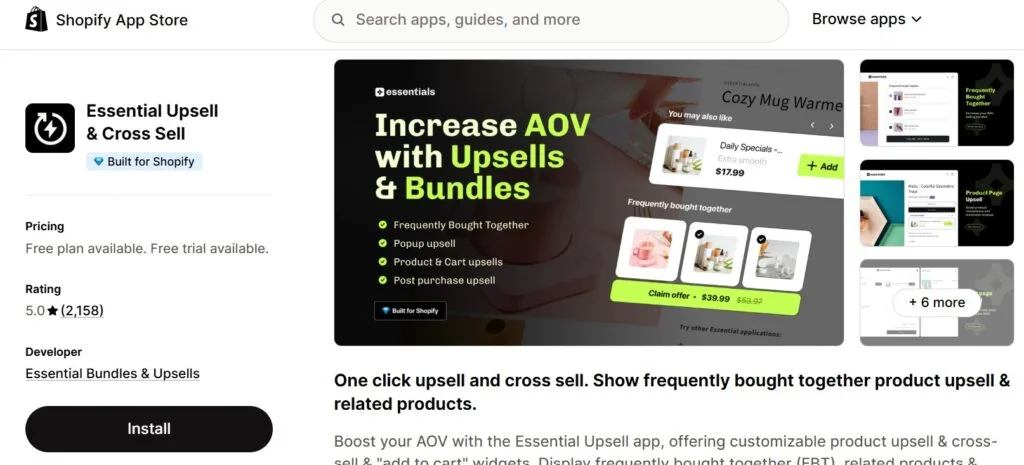
Essential Upsell and Cross Sell works well when merchants want straightforward product pages and cart offers without building complex bundles. It is a practical starting point for stores testing related product recommendations for the first time.
Best for: Simple product page add-ons; frequently bought together widgets; cart offers; basic post-purchase prompts
Key features:
Product page and cart upsells
Frequently bought together offers and campaign rules
Post-purchase add-ons and customizable display options
App details:
Field | Details |
Best fit | Stores testing cross-sell placements for the first time and looking for a no-code setup on product pages and cart drawer |
Strongest use case | Frequently bought together widgets on product pages that surface complementary products with automatic discount promotions |
Main limitation | Free plan caps upsell revenue at $100 per month, which limits meaningful testing on stores with active traffic |
A cookware brand might recommend a lid for a pan. A gym brand might recommend resistance bands with a workout mat. These offers do not need a complicated funnel. They just need strong pairing logic and clean placement.
App#5 Echo Checkout Widget and Bundle – Best for Checkout-Focused Offers
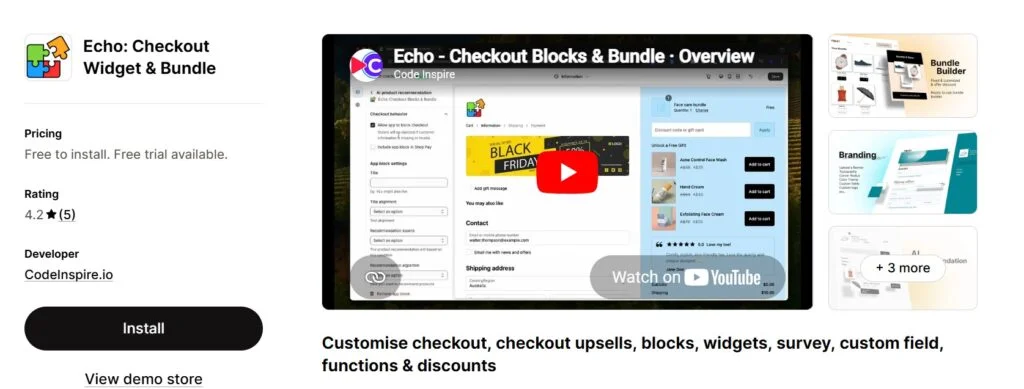
Echo Checkout Widget and Bundle has relatively fewer reviews than the rest of the apps here. Nonetheless, it has mostly achieved a 5-star rating through its excellent service. The app is focused on the checkout experience. It fits merchants who want to place offers as close to the payment step as possible, where buying intent is at its peak.
Best for: Checkout offers; post-purchase prompts; survey widgets; free-gift-style campaigns; merchants with strong product pages already in place
Key features:
Checkout widgets and bundle builder
Volume discounts and free gift offers
Post-purchase support and survey widgets
App details:
Field | Details |
Best fit | Stores that want cross-sell offers placed at checkout, as close to the payment step as possible |
Strongest use case | Checkout widgets that surface bundle offers and free gift prompts at the moment buying intent is highest |
Main limitation | Very small review base makes it harder to evaluate reliability at scale compared to more established apps |
This app fits merchants whose product pages are already doing the heavy lifting. If customers arrive at checkout ready to buy, that moment becomes the next logical place to test AOV improvement. It is not the right starting point if the product page still has conversion problems that need fixing first.
App#6 Llama – Best for Cart Drawer Offers
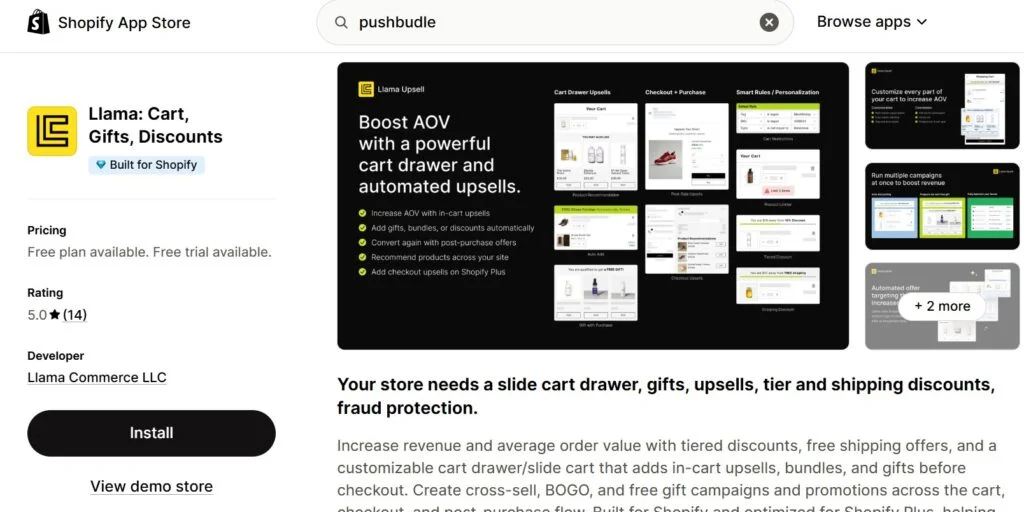
Llama: Cart, Gift, Discounts fits merchants who want to influence the cart moment specifically. Cart drawer offers work best when the recommended product is small, relevant, and easy to add with zero friction.
Best for: Cart drawer upsells; free gift prompts; small add-ons after buying intent is shown; offer progress bars
Key features:
Cart drawer offers and free gift prompts
Upsell campaigns and cart-based recommendations
Offer progress prompts and storefront display options
App details:
Field | Details |
Best fit | Stores that want to cross-sell small, relevant add-ons inside the cart drawer before the shopper reaches checkout |
Strongest use case | Auto-triggered free gift and BOGO campaigns inside the cart that activate when a shopper’s cart value crosses a set threshold |
Main limitation | Cart drawer-focused setup adds less value for stores where customers bypass the cart and go directly to checkout |
A protein brand can offer a shaker bottle inside the cart. A stationery brand can offer a pen refill. These offers work because the shopper has already shown buying intent. The add-on just needs to be obvious and easy to accept.
Where Should Cross-Sell Offers Appear?
Cross-sell placements work when they match shopper intent at that specific moment in the journey. The best Shopify cross-sell apps 2026 support multiple placements, but that does not mean every store should use every placement at once.
Product page: Use when the shopper still needs information about the complementary product. A jeans shopper may need to see the belt material, size, and color before adding it.
Cart drawer: Use when the add-on is small and obviously useful. A shopper buying protein powder may add a shaker bottle with one tap before checkout.
Post-purchase: Use when the add-on makes complete sense after the order is placed. A camera buyer may add a memory card after checkout without needing to return and browse again.
Post-purchase upsell apps work because the shopper has already committed. The barrier to saying yes to one more item is lower than it was before checkout. That said, post-purchase offers only work for products that do not need comparison. If the add-on requires thought, place it earlier in the journey where the shopper still has time.
How to Test a Cross-Sell Campaign
Start with one product category and one obvious complementary product. Test socks with shoes, belts with jeans, refill packs with skincare, or a memory card with a camera. Pick one pairing. Pick one placement. Run that test properly before adding anything else.
Here is a clean testing process:
Pick one main product category with strong existing traffic
Choose one complementary product that makes the pairing immediately obvious
Place the offer in one location only for the test period
Track clicks and add-on rate for at least two weeks
Compare AOV before and after the campaign period
Check whether the overall conversion rate holds steady or drops
Adjust the offer if shoppers are consistently ignoring it
Expand to a second pairing or placement only after the first works
This keeps cross-selling useful and protects the customer experience from becoming cluttered. A Shopify cross-sell app free plan is a good starting point for testing without financial risk. Run the test, measure the result, then decide whether to invest in a paid plan based on real data.
FAQs
What is the difference between a cross-sell app and an upsell app?
Can I cross-sell without paying a percentage of revenue?
Where should cross-sell offers appear first?
Do cross-sell apps slow down Shopify stores?
Can cross-sell bundles work alongside discount apps?
Is frequently bought together the same as cross-selling?
Conclusion
The best cross-sell apps on Shopify make the next product feel like a useful suggestion, not a sales tactic. PushBundle fits cross-sell campaigns that benefit from bundle structure, while post-purchase tools work best for obvious add-ons that need no explanation after checkout.
Do not start with five offers running simultaneously across every page. Pick one product category, identify one relevant complementary product, measure the result carefully, and only expand when the first offer is working. And remember: app ratings, review counts, pricing, and feature names can change. Check each Shopify App Store listing before installing.
Reviewed for accuracy
This article was reviewed by the PushBundle Technical Support Team, who regularly helps Shopify merchants test bundle setup, product selection rules, bundle pricing, cart behavior, and checkout-related bundle issues.
About the author

Anika Anamta Mehnaz
PushBundle Contributor
This article is written by Anika Anamta Mehnaz, a Content Writer and Content Marketing Strategist specializing in Shopify, eCommerce, and SaaS. With over four years of content writing experience, she creates SEO and AI search-optimized content that helps Shopify merchants make better business decisions through practical, research-backed insights. Her work covers Shopify apps, product variants, bundles, discounts, B2B commerce, and conversion-focused strategies. Outside of work, Anika enjoys watching anime, reading John Grisham novels, and discovering new ideas in digital marketing and e-commerce. If you enjoy discussing Shopify, content marketing, or online growth, feel free to connect with her. Twitter: https://x.com/mehnaz2201 Medium: https://medium.com/@mehnaz_78932


