
Setup Cross Sell bundle in your store
To setup Cross-sell Bundle, follow these steps:
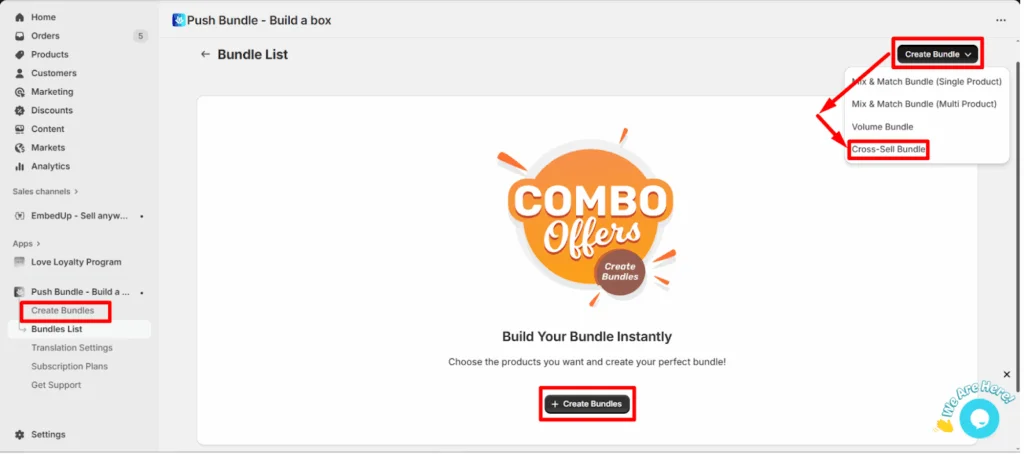
>> From your PushBundle admin panel, you will see the “create bundle” button in 2 places. Also you can see the create bundle on the side menu bar. Click on any of these buttons. For example, Click on the “create bundle”dropdown and select the Cross-Sell bundle.
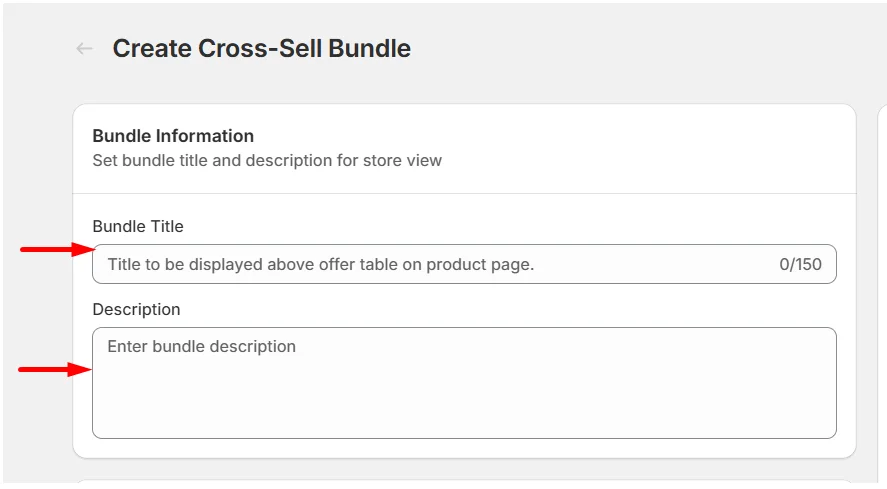
>> Add your unique bundle title.
>> Select the description of the bundle (if you want).
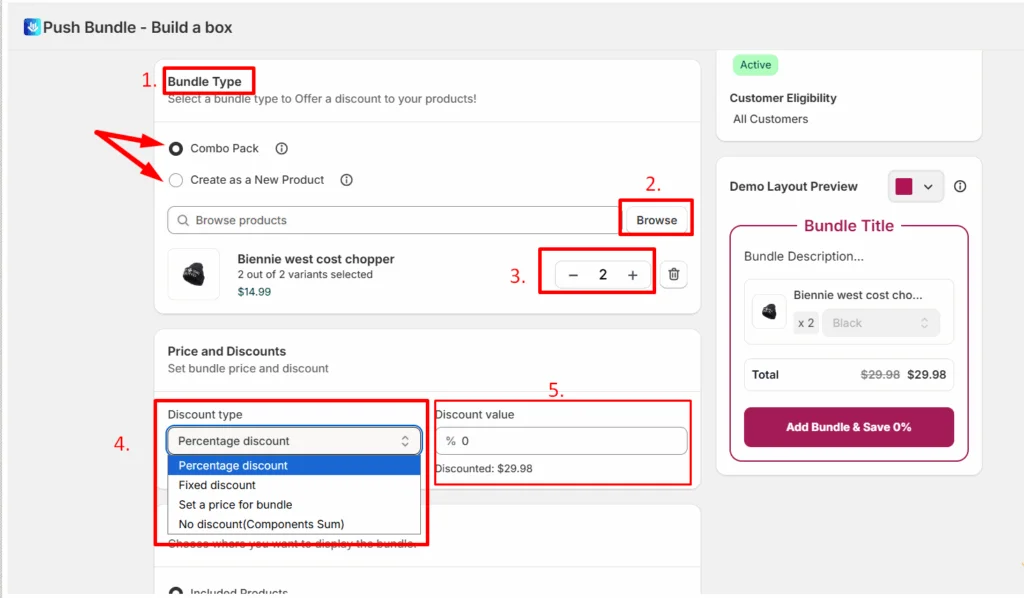
>> 1. Select the Bundle Type. You can select two types: Combo Pack, Create as a new Product.
2. Select the products you want to include in this bundle.
3. After selecting the bundle type and products, select the quantity you want to your customers to buy with this bundle.
4. Select the discount type. You can select: Percentage discount, Fixed Discount, Set a price for this bundle & No discount.
5. If you select any discount, from here you need to select the discount value.
>>Select the Bundle Offer display location. From here you can set where you want to show this bundle. You can show it on the included products of that bundle, you can show it on a specific bundle or a specific collection.
>> Select the customer eligibility and status then save it.
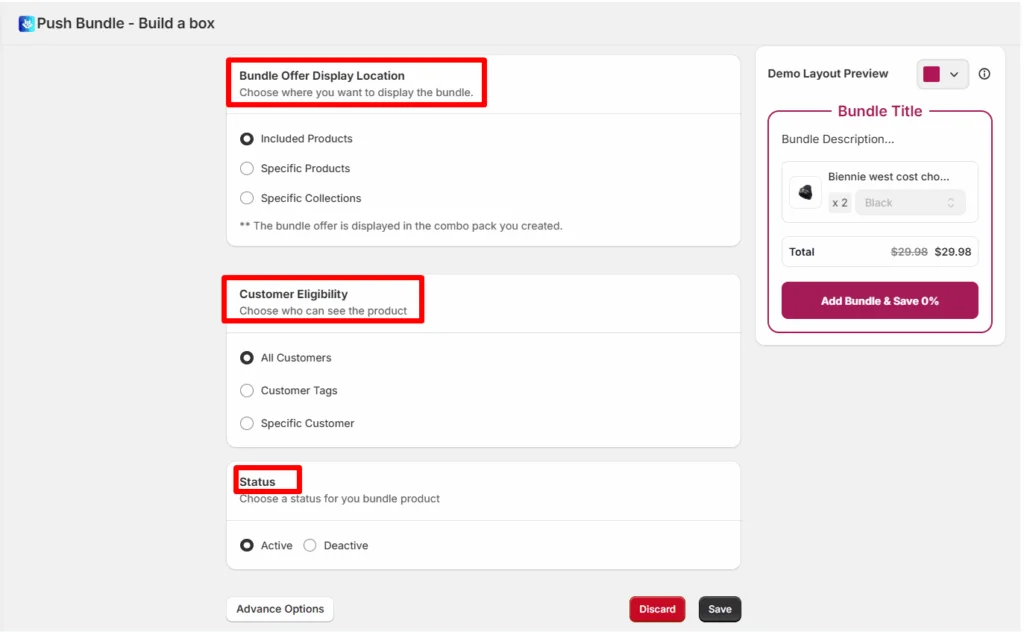
Your Cross-sell Bundle will be created.
Related articles
Still stuck?
Contact support →